
Fishing Wars Star Code STEAK Explained
Support Steak on Roblox checkout without wasting an in-game redeem attempt.
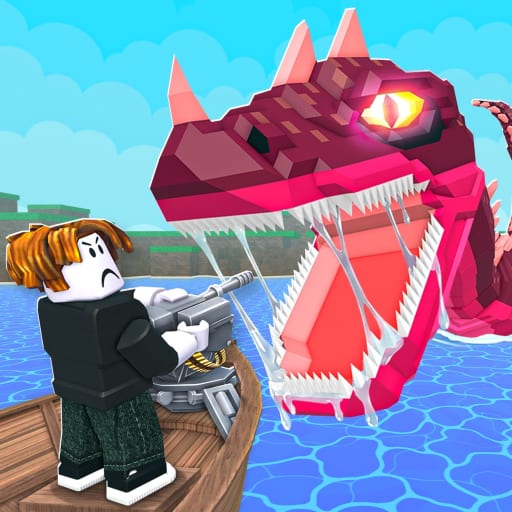
Steak stamps STAR CODE STEAK on every YouTube description. Players then paste STEAK into Fishing Wars and wonder why Fisherman Joe has nothing for them. This page separates the Roblox creator program from in-game gifts so you only type each string once, in the right product.
What Star Code STEAK actually is
Roblox Star Codes let eligible creators earn a cut when someone buys Robux or certain catalog items and types their code at checkout. STEAK is Steak’s public creator code. It supports the same person who owns the BIG GIANT FOOD group and shipped Fishing Wars. It does not spawn a Loch Ness, fill the collect pad, or unlock a turret.
Use it when you were already going to buy Robux. Do not buy Robux only to “activate” Fishing Wars. The game is free to play.
Where to type it
- Open the Roblox website or the official Roblox app (not the Fishing Wars HUD).
- Start a Robux purchase or an eligible item checkout.
- Find the Star Code / creator code field on the payment screen.
- Type
STEAKwith no spaces. - Complete the purchase.
You will not see an aquarium toast. Success is a normal Roblox receipt. If the field rejects the code, you are on a regional checkout that does not support Star Codes, or you added extra characters.
What to type inside Fishing Wars instead
In-game strings belong on the how to redeem path. During launch week those strings are still rare. When Steak overlays a code on a live, copy that overlay into the experience box, then spend the coins with the upgrade order tool.
If a thumbnail screams “NEW CODE STEAK” without showing a reward popup inside the dock UI, it is advertising the creator code again.
Why this mix-up happens
Steak’s audience came from Steal a Brainrot and other live games where the same word might be both a shout-out and a gift. Fishing Wars is a new place with its own redeem UI. The YouTube description template was written years before the fishing game existed, so STAR CODE STEAK appears even on videos that never drop an in-game gift.
Supporting the game without Robux
Favorite the Roblox experience, join BIG GIANT FOOD, and hang in Discord. Likes and group members are the usual triggers for the first real in-game codes. Playing on a public server also helps Steak see which boat fights and Kraken pulls need a patch — he already streamed a hacker ban session after launch.
Related pages
- Codes hub — live in-game list.
- How to redeem — HUD path.
- Expired codes — dead strings so you stop retrying them.
- Steak player page — who runs the game.
Checkout mistakes that look like game bugs
Players report “STEAK did nothing” because they typed it after the Robux already landed. Star Codes have to be on the payment screen before you confirm. There is no retroactive stamp. There is no aquarium mail. If the field never appeared, your region or payment method may not support creator codes — that is a Roblox store issue, not a Fishing Wars patch.
Do not refund a Robux purchase hoping to retry the code inside the dock UI. You will still not get a fish, and you may lose the Robux.
When Steak says “use my code” on a live
Listen to the next sentence. If he points at the Roblox store, it is STEAK. If he points at a gift box overlay with a reward amount, it is an in-game string and belongs on the codes hub. The same word “code” does both jobs on his channel, which is exactly why this page exists.
Frequently Asked Questions
Quick answers to the most common questions.
Does STEAK give free fish in Fishing Wars?
No. STEAK is a Roblox Star Code for store purchases. In-game gifts use a different box. See how to redeem.
Is Star Code STEAK case-sensitive?
Type STEAK in capitals as shown on Steak's channel. Extra spaces will fail.
Do I need to buy Robux to play?
No. Fishing Wars is free on Roblox. Star Code STEAK is optional support when you already planned a purchase.